a desk instrument for the board in your drawer
The quiet screen
you can talk to.
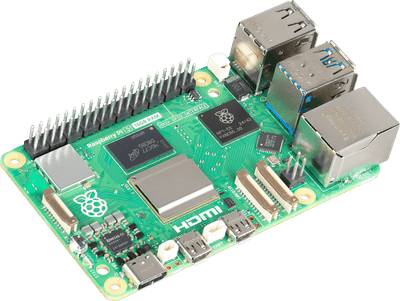
Perch turns a Raspberry Pi, or any Linux board that can drive a screen, into a desk dashboard holding the handful of things you actually want at a glance. Then it adds one button that talks to whatever AI you already own, even one running entirely in your house.
drawn live in your browser · the real device flips itself at dusk and dims its own backlight
One video, the whole thing.
The full build, from a bare Pi to a desk that answers back. Every dead end included, because the dead ends are where the learning is.
install
A Pi, a screen, two lines.
The installer builds everything, wires up the kiosk and the service, and prints the address of your console. After that you arrange the desk from your laptop while the device follows your drag, live.
- 01cloneyou can read every line before it runs
- 02installbuilds, wires the kiosk, prints your console address
- 03rebootthe screen comes up on its own, forever
clock · weather · news work the moment it boots. Nothing asks for a key.
The installer automates Raspberry Pi OS. On an Orange Pi, a Rockchip board, or an older Pi, the same app runs with one manual kiosk step: other boards.
git clone https://github.com/mayukh4/perch && cd perch
bash install/install.sh
# then, from anything on your network:
# http://<your-pi>.local/console
what's on it
Eight widgets, and a folder for yours.
Time, date, and a calendar that needs no account: the days ahead on a small tile, the whole month on a bigger one. Optionally a second timezone, for the person you keep missing.
Wind, rain odds, UV, sunrise and a short forecast, straight from Open-Meteo. It never asks for an account.
Headlines from the feeds you actually read. Any RSS or Atom URL.
This Pi, plus any box running the one-line agent: CPU, memory, disk, temperature.
Your house, discovered from one token. Tap toggles; drag across a lamp sets its level.
Any channel with an API key. Connect your own account and real revenue sits on your desk.
Any page in a tile: a Grafana panel, a camera feed, an HTML file you wrote yourself.
Your income, recent or all time, and the payout on its way to the bank. The key is read-only and cannot move money.
The full catalog, community widgets included, lives at perchondesk.com/widgets.
the talk button
Ask the desk. It knows what it's showing.
Every question carries a digest of what is on the screen, so a model with no tools can still answer what the weather is doing and how hot the Pi runs. Speech and brain are separate settings, which means fast cloud transcription can sit in front of a model that never leaves your house.
Fully local
A 0.6B model on the Pi itself, through Ollama. It takes its time, and nothing ever leaves the house.
Any cloud
OpenAI, Anthropic, Groq, OpenRouter, or LM Studio on your desktop. Anything that speaks /v1/chat/completions plugs in.
Your agent
A webhook, or a command line over SSH: Hermes, OpenClaw, Claude Code, codex. Your agent gets a face.
Read https://perchondesk.com/connect.md and connect the
agent running on this machine to my Perch at http://perch.local:7878
The device serves its own instructions at /connect.md — the config shape, the routes, and a test your agent has to pass before it can say it is done. It works whether the agent lives on the Pi, on your desktop, or on a box in a datacentre.
Change one field. The same desk, a different brain. Nothing else moves.
looks
The palette is a choice.
Four looks ship, and each carries its own day and its own night. Making your own is one CSS block. The console previews it live while you type.
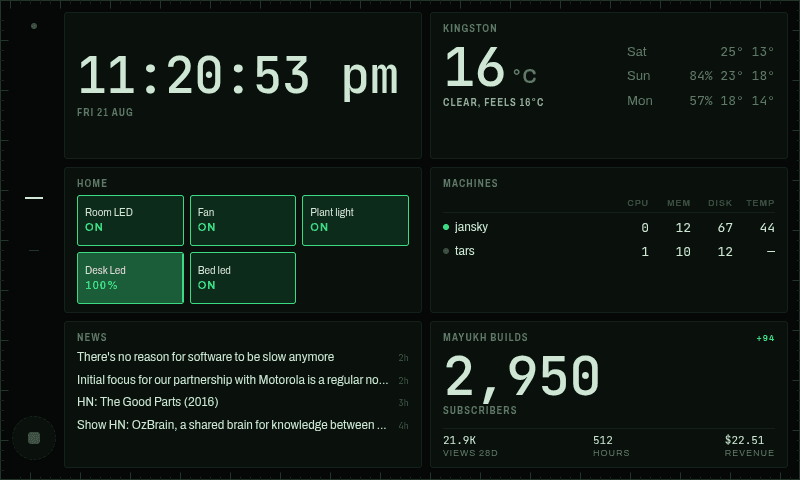
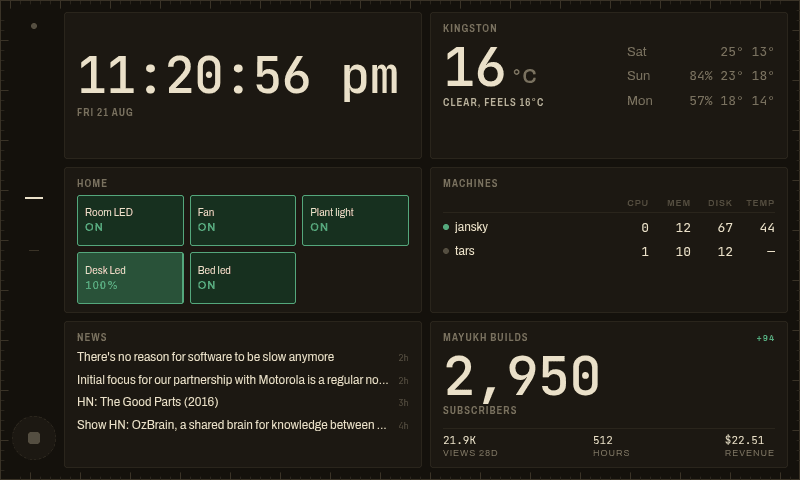
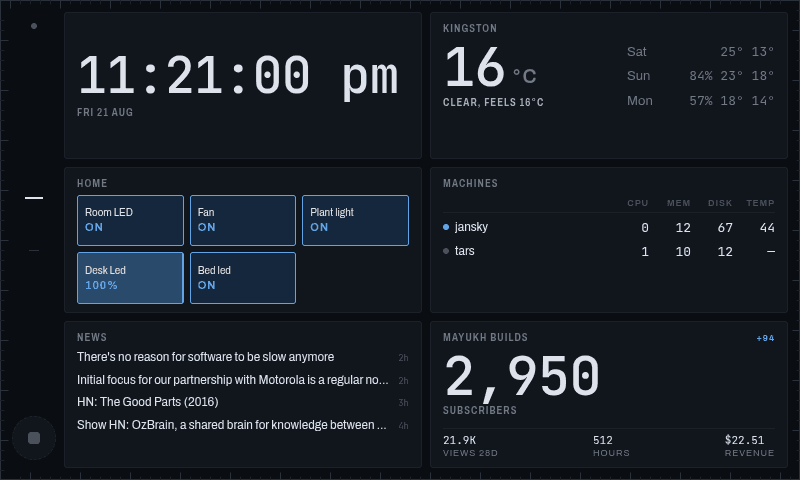
one folder, forty lines
It grows by the widget.
A widget is one folder on your own device: a manifest that generates its own settings UI, a component, and an optional server file. Nothing to publish, nowhere to sign up. The fastest way is to hand the docs to whatever agent lives in your terminal:
Read docs/WIDGETS.md, then widgets/weather/ as a worked example.
Create widgets/<id>/ that shows <the thing you want on your desk>.
Run npm run registry && npm run typecheck and fix anything they flag.
Worth sharing? The template repo and the registry put it on every desk, in your repo, under your name.
built by other people
Nobody has claimed the first slot.
The registry is open and empty. Build one for your own desk first — one folder, or one prompt to the agent in your terminal. When it is worth other desks having, the template repo carries CI that builds it against the real thing, and your name stays on your work.
before you ask
The questions
that keep coming.
Answered the way they get asked, including the ones where the honest answer is that something else is the better buy.
Is Perch a TRMNL alternative?
With one honest caveat. TRMNL is e-ink and runs for months on a battery. Perch is colour, touch, and plugged into the wall. If the screen is going on a shelf and you want to forget about it, buy the TRMNL, because it is good at exactly that. If it is going on a desk you already sit at, the power is already there, and e-ink is then a compromise you are paying for without using: no colour, no touch, and a refresh measured in minutes.
Perch vs TRMNLHow is Perch different from MagicMirror?
Three things. You arrange Perch by dragging tiles in a browser while the desk screen follows along, rather than by editing a config file. A widget is one folder — a manifest, a component, about forty lines — rather than a Node module against a plugin API. And Perch has a talk button wired to whatever AI you already own, which MagicMirror has no equivalent for. MagicMirror still wins on ecosystem: a thousand community modules against Perch’s eight.
Perch vs MagicMirrorDoes it work without an internet connection?
The clock, the calendar and your machines work with no network at all. Weather and news need to reach the internet, because that is where weather and news live. The talk button works entirely offline if the model is running on the Pi. Nothing needs an account and nothing phones home — there is no Perch service to phone.
Can the AI run entirely on the Raspberry Pi, or does it call out to a cloud?
Your choice, and it is one field. Point the brain at Ollama or LM Studio on the Pi itself and nothing leaves your house. Point it at OpenAI, Anthropic, Groq, OpenRouter or any OpenAI-compatible endpoint and the answer comes back faster. There is also an exec adapter that reaches the coding agent already sitting in your terminal, local or over SSH. Speech and the brain are separate settings, so cloud transcription in front of a local model is a normal thing to want and a normal thing to set up.
What is the best local LLM for a Raspberry Pi 5 with 8GB of RAM?
A 0.6B model answers a grounded question in about nine seconds on a Pi 5. That is the real number rather than a marketing one, and it is why the model is a field you choose rather than a promise we make. 8GB lets something larger breathe, but memory bandwidth is the ceiling on a Pi, not parameter count. Sustained inference takes a Pi 5 to around 84 °C, so put a heatsink on it before you go hunting for a bigger model.
Do I need an account or an API key?
Not for Perch. There is nothing to sign up for and no login, because there is no service behind it. A fresh clone shows a real clock, real weather, real news and your machines’ load with no keys at all. Home Assistant wants its own long-lived token, YouTube wants a Data API key, and Stripe wants a read-only key. Those go to those services and are stored write-only on your own device.
Do I have to write a module to add a widget?
No. A widget is a folder holding a manifest, a component and an optional server file, and the manifest generates its own settings form, so there is no settings UI to build. There is no plugin API to learn and nothing to publish: a widget for your own desk never has to leave your device. The fastest route is pasting three lines into whatever coding agent is already open and letting it read the docs for you.
The prompt to pasteDoes the screen stay on all night?
It follows the sun. The palette inverts at dusk and the panel’s actual backlight comes down with it, not just the colours on screen. A desk display running at full brightness in a dark room is the single most common reason these things end up unplugged after two weeks, so it is handled by default rather than left as a setting you discover later.
What hardware do I need, and what does it cost?
A Raspberry Pi 5 at $60–80, a 7-inch 800×480 DSI touchscreen at about $60, and a USB microphone and speaker at $15–25 if you want the talk button. A Pi 4 works and a Pi 3 will be slow. Add a heatsink if you plan to run a model locally. Skip the audio and everything except the talk button still works.
The full parts listWill it run on something that is not a Raspberry Pi?
Yes. Any Linux board that can drive a screen will run it — an older Pi, an Orange Pi, a Rockchip box. The installer automates Raspberry Pi OS end to end; on anything else it is the same application with one manual kiosk step, and that step is written down rather than left as an exercise. Other panel resolutions are fine too, because the grid is proportional and the console previews whatever size your panel reports.
Is it actually free?
MIT licensed. There is no paid tier, no hosted plan, no seat count and nothing to upgrade to, and the config is hand-editable JSON on your own disk so there is nothing to be locked into either. If it earns its place on your desk there is a sponsor link, and that is the whole business model.